How to E-Prescribe Without an EHR: A Setup Guide for Independent Clinicians
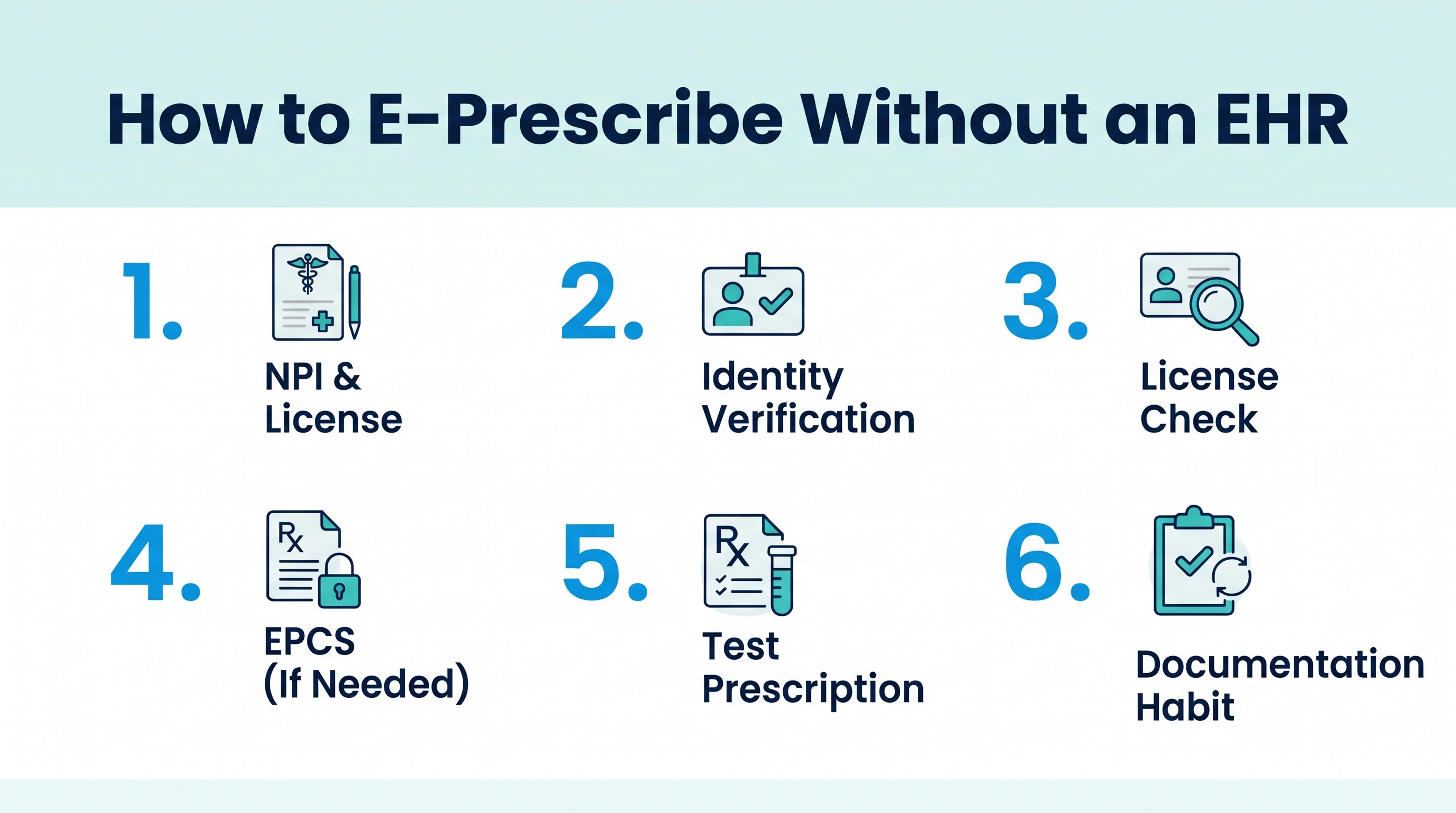
You can send prescriptions electronically to almost any U.S. pharmacy without owning an electronic health record (EHR). A standalone e-prescribing tool connects you to the same pharmacy network an EHR uses, verifies your identity and license, and transmits each prescription electronically. Setup for non-controlled prescriptions can take less than a day. Controlled substances add identity proofing, two-factor authentication, and a DEA check.
This guide covers who uses standalone e-prescribing, what it does and does not replace, what you need to sign up, a step-by-step setup, and how to keep your records in order without an EHR.
Who e-prescribes without an EHR
Standalone e-prescribing fits clinicians whose practice does not revolve around a full EHR, or whose EHR does not prescribe well. Common examples:
- Direct primary care and cash-pay practices that chart in a lightweight tool and do not bill insurance.
- Telehealth and locum clinicians who see patients on platforms that do not include prescribing, or who work across several organizations.
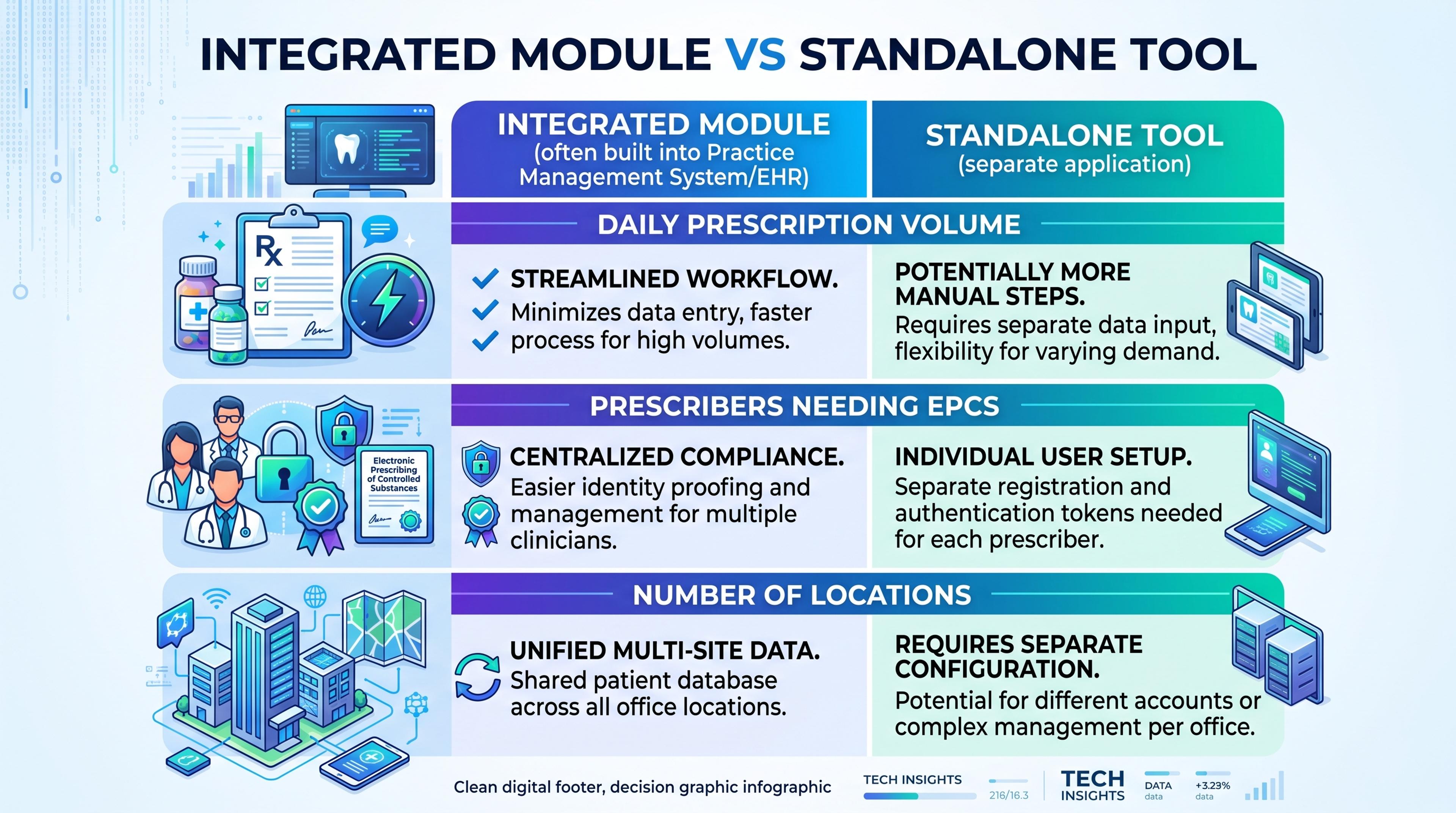
- Specialists and dentists whose practice-management software lacks an e-prescribing module or prices it for a larger practice.
- Nurse practitioners and physician assistants starting an independent practice, where state law allows.
- Clinicians who prescribe occasionally, such as those in administrative, academic, or part-time roles, who still need to send a prescription correctly.
What a standalone tool does, and what it does not
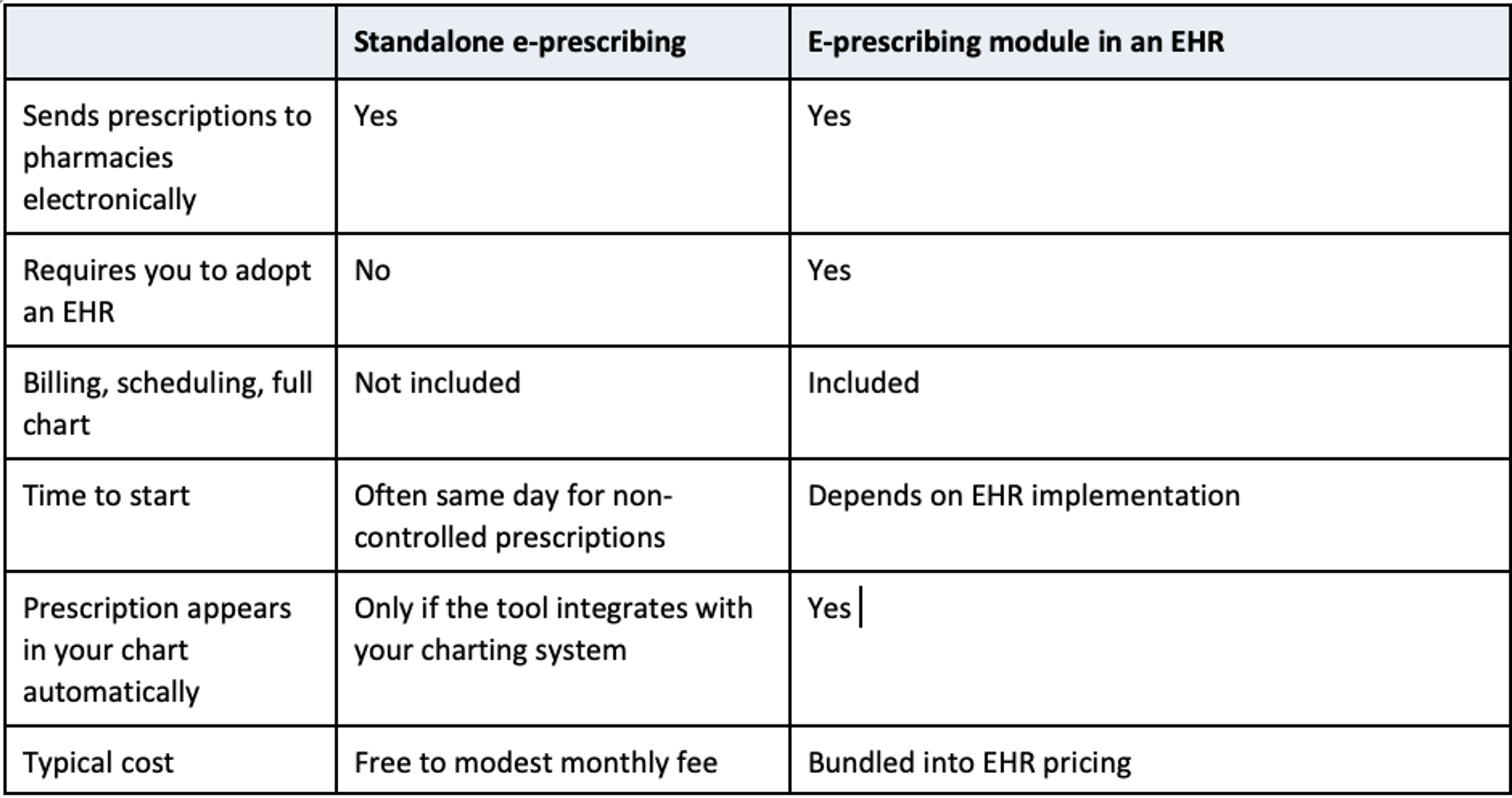
A standalone e-prescribing tool handles the prescription: finding the medication, writing the order, choosing the pharmacy, signing, and transmitting. Most also show the patient's medication history where available and keep a record of what you sent.
It does not replace the rest of an EHR. It generally will not bill insurance, manage your schedule, or hold the full longitudinal chart. Some standalone tools offer a place for brief visit notes alongside the prescription, but you should still decide where your clinical record lives.
For a breakdown of what free and paid standalone tools cost, see Free E-Prescribing Software: What "Free" Actually Includes.
What you need before you sign up
- An NPI. Your National Provider Identifier ties prescriptions to you.
- An active state license in each state where you will prescribe. Most tools verify licenses against state board records during signup.
- A government ID for identity verification. E-prescribing tools typically verify your identity to the NIST Identity Assurance Level 2 standard.
- For controlled substances only: an active DEA registration in the state where you prescribe, and a phone or device for two-factor authentication.
Setup, step by step
- Choose a tool and confirm it covers your situation. Check that it supports your credential type, your state or states, and the transaction types you need, such as new prescriptions and cancellations. If you prescribe controlled substances, confirm it is certified for EPCS.
- Create your account and verify your identity. Expect to provide your NPI, license number, and ID. Identity verification is often completed online in minutes.
- Wait for license verification. Many states verify quickly; some state boards take longer.
- Set up EPCS if you need it. This adds DEA verification, identity proofing for controlled-substance signing, and enrollment of your second factor, such as an authenticator app. See What EPCS Requires and Costs.
- Send a test prescription. Use the tool's test process or a pharmacy that has agreed to receive one, and confirm it arrives as expected.
- Decide where each prescription is documented. If your charting system is separate, make a habit of recording each prescription there.
Keeping records without an EHR
Your obligation to document prescribing does not change because you prescribe outside an EHR. Three habits keep it manageable.
Record each prescription in your clinical note. Drug, strength, directions, quantity, refills, and pharmacy, plus the clinical reason. Some standalone tools let you keep a visit note with the prescription, which can serve as or support that record.
Keep the tool's audit trail. A good e-prescribing tool records who wrote each prescription, who signed it, when, and where it was sent. Know how to export or retrieve that record.
Review medication history before prescribing. Standalone tools can often show fill history and active medications from pharmacy and benefit data. Use it as a check, and recognize that it may be incomplete for cash fills or some pharmacies.
Controlled substances without an EHR
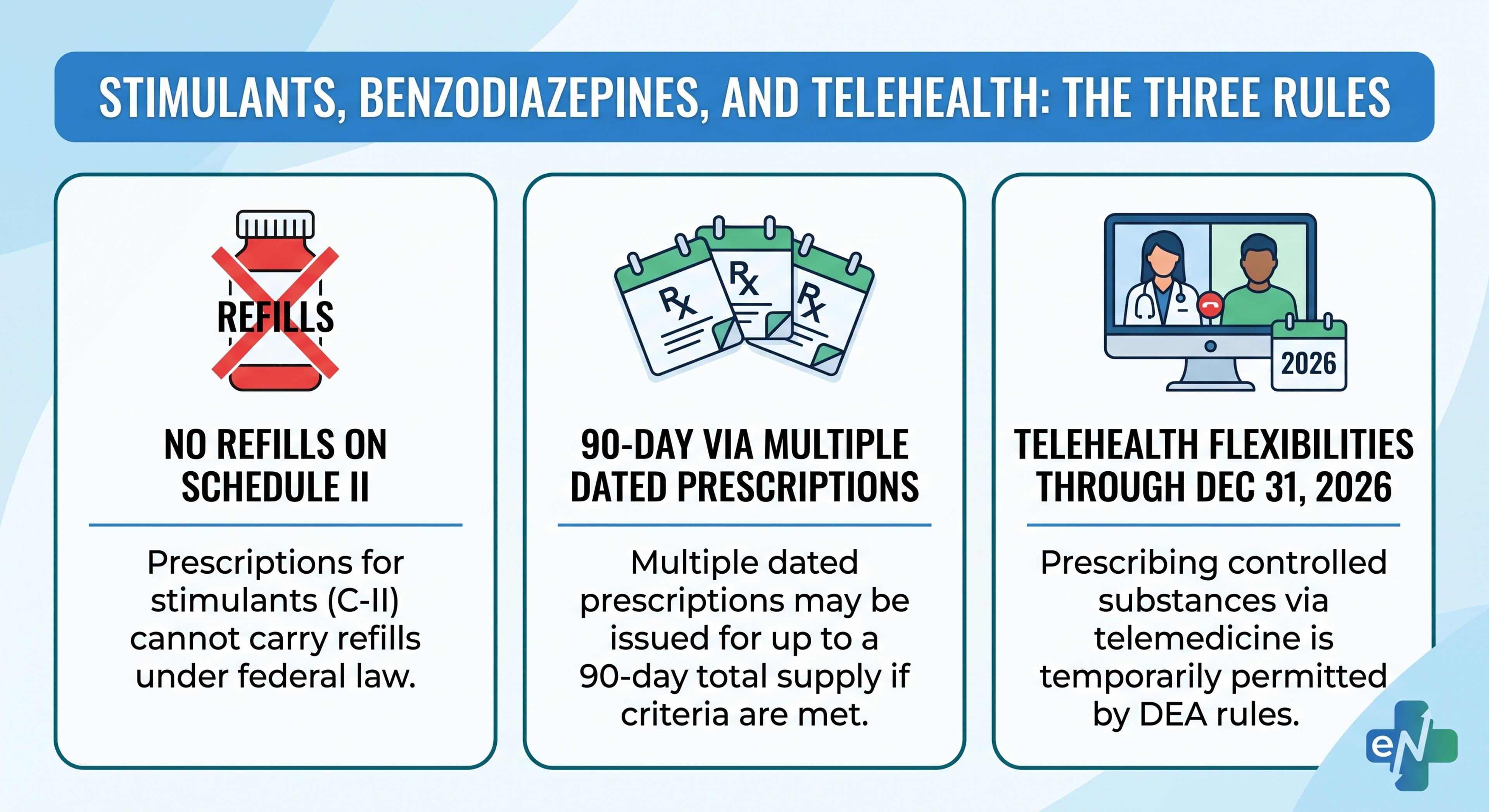
Nothing in DEA's EPCS rules requires an EHR. What they require is a certified application, identity proofing of the prescriber, and two-factor authentication at the time of signing (DEA EPCS Q&A). Your state's prescription drug monitoring program check is a separate state obligation that applies however you prescribe.
Where eNavvi fits
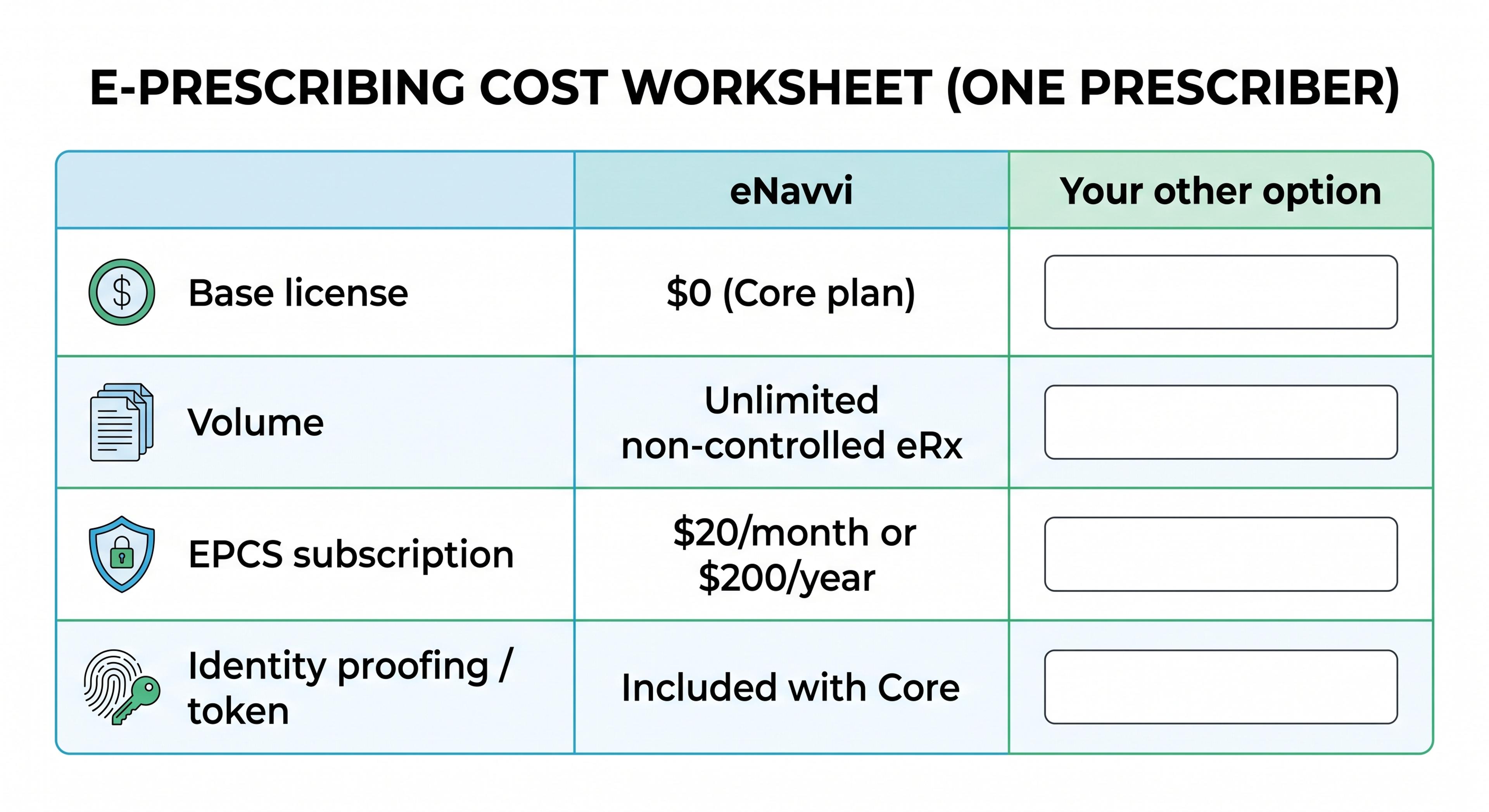
eNavvi is a standalone e-prescribing platform that works without an EHR. According to its pricing page, the Core plan is free and includes unlimited electronic prescriptions, price comparison across pharmacies, IAL2 identity verification, and a single state license, on mobile and desktop. The EPCS add-on is $20 per prescriber per month, uses Microsoft Authenticator for two-factor signing, is Drummond-certified for Schedules II–V, connects over Surescripts, and is desktop only. A Clinician plan with multi-state license support and staff roles is listed as coming soon.
eNavvi's FAQ states that signup requires an NPI and a state license number, that most state licenses are verified within an hour, that fill history and active medications appear in the prescribing flow, and that visit notes can be kept alongside the prescription. You or your patient choose the pharmacy, and eNavvi's pharmacy search does not rank or favor any pharmacy. Like most e-prescribing tools, eNavvi does not replace your state PDMP check.
Questions clinicians ask
Is it legal to e-prescribe without an EHR? Yes. Federal e-prescribing and EPCS rules apply to the prescribing application, not to whether you own an EHR. State documentation and prescribing rules still apply.
Will my prescriptions show up in my patient's other records? Pharmacy fills generally flow into medication-history data that other clinicians can see. Your own chart will not update automatically unless your standalone tool integrates with it.
Can I use a standalone tool alongside an EHR I already have? Yes. Some clinicians use one for a specific need, such as controlled substances, compounds, or price comparison, while keeping the EHR for everything else. Decide which system holds the authoritative medication list.
How long until I can send my first prescription? For non-controlled prescriptions, often the same day, depending on how quickly your state license is verified. EPCS adds DEA verification and two-factor enrollment.
Next step
eNavvi's Core plan is free and works without an EHR. See the pricing page for plan details, or register at enavvi.com.